Change the widget's language and background
The widget has its own settings, separate from the app's language and reader settings.
- Open Simran and tap the Me tab, then the gear icon in the top corner to open Settings.
- Under Preferences, tap Widgets.
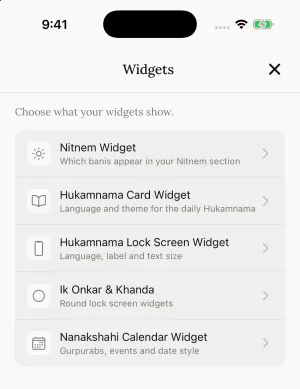
Home screen widget
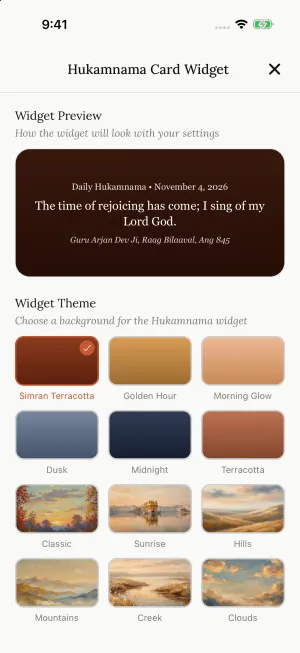
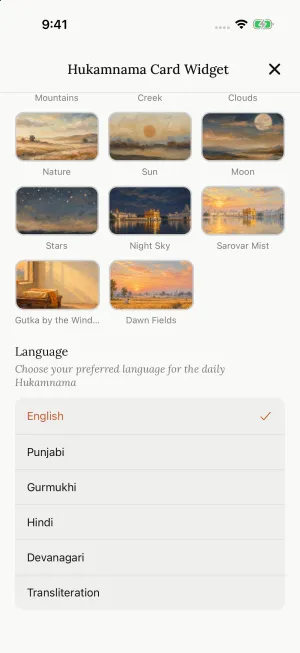
Tap Hukamnama Card Widget. Pick a background under Widget Theme, then scroll down to Language: English, Punjabi, Gurmukhi, Hindi, Devanagari or Transliteration. The preview at the top shows how it will look.
Lock screen widget (iPhone)
Tap Hukamnama Lock Screen Widget to choose its Language, the Top Label above the verse, and the Text Size.
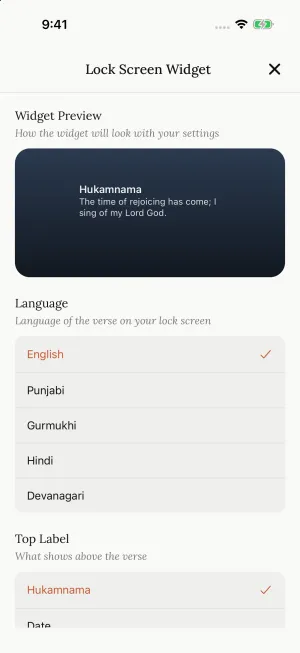
Changes appear on the widget within a moment. If not, open Simran once, or remove the widget and add it again.
Still need help?
We read every message. Include the ID from the bottom of Settings in the app so we can find your account quickly.
Write to us