
Save your progress with an account
If you use Simran as a guest, your progress lives only on your phone. An account backs it up.
- Open Simran and tap the Me tab at the bottom right.
- If it says Sign in or create an account to save your journey, you're a guest. Tap Sign Up or Log In.
- Choose Continue with Apple, Continue with Google or Continue with Email.
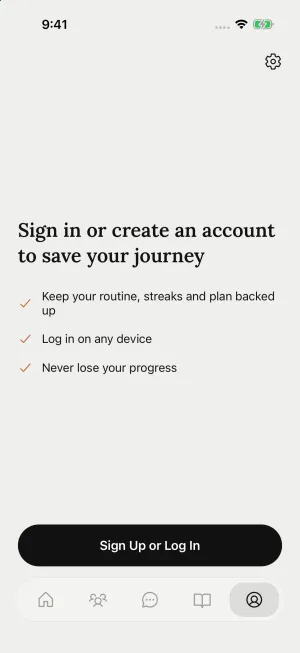
Everything you've done as a guest moves into the new account: your routine, streaks, practice history, notes, highlights and saved Gurbani. Nothing is reset.
If Simran says You already have an account. Log in to continue., that Apple ID, Google account or email already has a Simran account. Tap Log in to use it.
Still need help?
We read every message. Include the ID from the bottom of Settings in the app so we can find your account quickly.
Write to us